WordPress specialist: complete engineering from development to governance

Flowup's WordPress specialist is accountable for the site that is already live: maintenance, support, security, fixes and ongoing improvement, run under the Flowup WP Engineering Framework, with tested updates, verified backups and documentation that belongs to your company.

By Guto Bertoncini, founder and lead strategist of FlowupUpdated on 15 min read

5.0 on GoogleSince 2011Proprietary B.I.N.A. Method

  • ABAL logo
  • Ayvens logo
  • IBGE logo
  • HPROJ logo
  • SCA Brasil logo
  • Rewood logo
  • Salvatore Leilões logo
  • Société Générale logo
  • KINTO logo
  • Servimed logo

Summary

The WordPress specialist in seven points

The essentials for anyone who needs to decide quickly. The details, the sources and the frequently asked questions are right below.

  • A WordPress specialist is accountable for the whole environment, not for isolated tasks: code, plugins, server, integrations, security, performance and ongoing improvement.
  • Flowup organizes this work in the Flowup WP Engineering Framework: WordPress Dev, Digital Presence Engineering, Website Performance Engineering, WP Care and Asset Governance.
  • Serious maintenance tests every update in staging, actually restores backups and records what changed. Automatic updates applied straight to the live site are the opposite of that.
  • The risk is concrete: the WordPress ecosystem had 11,334 new vulnerabilities in 2025, 91% of them in plugins, and 46% had no fix when they were disclosed (Patchstack).
  • WP Care is the ongoing monthly support: tested updates, verified backups, monitoring, fixes and reports.
  • Every engagement starts with the WordPress Health Score: performance, security, technical SEO, infrastructure and governance assessed, with prioritized risks.
  • Flowup does not promise total security or a PageSpeed score. The commitment is to a correct diagnosis, safe implementation and limitations stated in writing.

Concept

WordPress Engineering: a category above development and maintenance

The market calls everything maintenance. The difference lies in who is accountable for the whole system.

Developer
Creates themes, plugins, pages and features. Carries out clearly defined tasks.
Specialist
Understands the complete system, from infrastructure to technical SEO, and takes responsibility for the continuity of the environment.
WordPress Engineering
Applies software engineering practices to the site's life cycle: version control, staging, testing, controlled deployment, rollback, observability and documentation.

Sites degrade in the gaps of informal maintenance: plugins fall out of date, speed drops, knowledge is lost and access credentials end up scattered. Flowup practices WordPress Engineering so that the site is treated as a business asset, with an identifiable technical owner.

Your WordPress site is not just a website. It is a sales channel, a source of leads, a content base and the source that AI systems read about your company.

The framework

Flowup WP Engineering Framework: five fronts, one system

The fronts can be hired together or separately, but they were designed to work as a whole.

  • Digital Presence Engineering

    The technical foundation of the company's presence, planned as a system: domain, DNS, hosting, CDN, database, structured data, analytics and the site's integrations with social networks.

  • WP Care

    Monthly support: tested updates, backups with verified restoration, monitoring, fixes and reports.

  • Asset Governance

    Inventory, documentation, access, licenses and owners: control of the environment back in the company's hands.

  • One system, not five services

    Dev builds, Engineering connects the site to the business, Performance ensures speed, Care ensures continuity and Governance ensures control.

Comparison

What the market calls maintenance and what engineering delivers

The difference is not in the list of services. It is in the method behind each one.

Common WordPress maintenance compared with Flowup's WordPress Engineering
DimensionCommon market practiceWordPress Engineering (Flowup)
UpdatesAutomatic, applied straight to the live site.Tested in staging, with a backup beforehand and a check afterward.
BackupsThey exist, but have never been restored.Periodic restore tests, logged, with a defined retention period.
PerformanceA cache plugin and chasing a PageSpeed score.Root-cause diagnosis and Core Web Vitals tracked with real-user data.
Changes and deploymentManual changes, with no history and no way back.Version control in Git, staging, controlled deployment and planned rollback.
SecurityOne security plugin installed.Hardening, least privilege, application firewall, monitoring and a response plan.
DocumentationKnowledge in one person's head.Inventory, change log and documentation that belongs to the client.

Process

How the framework operates: no indiscriminate changes in production

Significant changes go through backup, staging and validation before they touch the company's site.

  1. Diagnosis and inventory

    Domains, hosting, versions, theme, plugins, integrations, licenses and access, consolidated in the WordPress Health Score.

  2. Prioritization and plan

    Actions ranked by impact, urgency, risk and effort, with scope, owners and acceptance criteria.

  3. Staging and release

    Implementation in a controlled environment, versioned and tested, and release with a backup, a planned window and a defined rollback.

  4. Documentation and ongoing support

    A record of changes and decisions, with the documentation in the company's name, and continuous operation through WP Care.

Security

WordPress security in layers: prevention, control and response

No environment is invulnerable, and no serious provider promises otherwise. What reduces risk is method.

  • 11,334new vulnerabilities in the WordPress ecosystem in 2025.Patchstack, 2026
  • 91%of the new vulnerabilities in the WordPress ecosystem in 2025 were in plugins.Patchstack, 2026
  • 46%of the 2025 vulnerabilities had no fix when they were disclosed.Patchstack, 2026
  • 5 hwas the weighted median time to the first exploit, with vulnerabilities weighted by how heavily they were attacked.Patchstack, 2026
  • Hardening and prevention

    Hardened settings, an actively supported PHP version, correct permissions, strong authentication and access granted on the principle of least privilege.

  • Edge protection and monitoring

    Application firewall, filtering of malicious traffic, file integrity checks and alerts for anomalous behavior.

  • Backups and recovery

    Routines with restore testing, defined retention and a recovery plan with clear roles and deadlines.

  • Incident response

    Containment, cleanup, restoration and root-cause analysis, with a backup of the current state and a record of what was changed.

Has your site been hacked, started redirecting strangely or triggered a Google warning? Emergency response has its own page: WordPress malware removal.

Governance

Technical governance: Git, staging, controlled deployment and visibility

Making changes directly on the live site, with no backup and no validation, is the cause of a good share of WordPress incidents.

  • Version control and change workflow

    Git, Composer, WP-CLI and the WordPress coding standards: every change has an author, a history, a review and a way back.

  • Staging and deployment

    Separate development, staging and production environments, with a planned window, a backup beforehand and a defined rollback.

  • Observability

    Logs, uptime monitoring, application metrics and alerts. Problems are detected while they are still cheap to fix.

  • Asset inventory

    Domains, hosting accounts, licenses, credentials and integrations mapped, with a matrix of owners and renewals.

If your site's provider disappeared today, would your company know where the domain, the licenses, the backups and the access credentials are?

WP Care

WP Care: WordPress maintenance and support as a professional operation

Flowup's monthly support for sites that cannot afford to go down, with scope and routine defined in writing.

What WP Care covers:

  • Core, theme and plugin updates tested in staging before they reach the site.
  • Automatic backups with periodic restore testing.
  • Monitoring of uptime, errors and security, with alerts.
  • Fixes and small improvements within the contracted scope.
  • Core Web Vitals tracking and a warning when a change makes the site worse.
  • A periodic report of what was done, what changed and which risks remain open.

When the problem is speed and calls for a project of its own, the WordPress optimization and Core Web Vitals front steps in with diagnosis and field validation.

WordPress Health Score

The diagnosis that opens every specialist engagement

The WordPress Health Score is the structured assessment of the environment. It turns diagnosis into decision: what to fix, in what order and why.

Performance
Core Web Vitals, server response time, cache, theme, plugins and external resources.
Security
Versions, vulnerable or abandoned plugins, access, backups and exposure to attacks.
Technical SEO
Indexing, canonical tags, sitemap, redirects, structured data and Search Console errors.
Infrastructure
Hosting, PHP, database, CDN, DNS and capacity for actual traffic.
Governance
Who has access, where the domain, licenses and backups are, and what is documented.

When to call

Situations where the WordPress specialist steps in

Projects rarely start with "we want a specialist." They start with a concrete problem.

  • Taking over sites built by others

    A provider who vanished or a site with no technical owner: access, full backup, inventory, risks, staging and a transition plan. No environment is taken over without a diagnosis.

  • Changing providers

    Verification of who owns the domain, hosting and licenses, controlled transfer of access and continuity with no downtime.

  • WooCommerce and integrations

    Store, checkout, payments and connections with CRM, ERP and automation treated as documented dependencies, each with a defined owner.

Google and AI

WordPress prepared for Google and for AI answers

AI Overviews, AI Mode, ChatGPT, Gemini and Perplexity read websites. The technical foundation decides what they are able to understand.

  • Heading hierarchy, one topic per page and direct answers at the start of each section.
  • Structured data consistent with the visible content, in a single graph with no duplication.
  • AI crawler access in robots.txt decided together with the company.
  • Fast, renderable pages for search and AI crawlers.

Google states, in its guide to optimizing for generative AI features, that there is no need to create special files, markup or schema to appear in those features. That is why Flowup treats the technical foundation as the groundwork and leaves growth to the AI SEO, GEO and AEO fronts, with no promise of citation.

Case studies

WordPress sites supported by Flowup

Results published in the case studies, with the period and the origin of each figure.

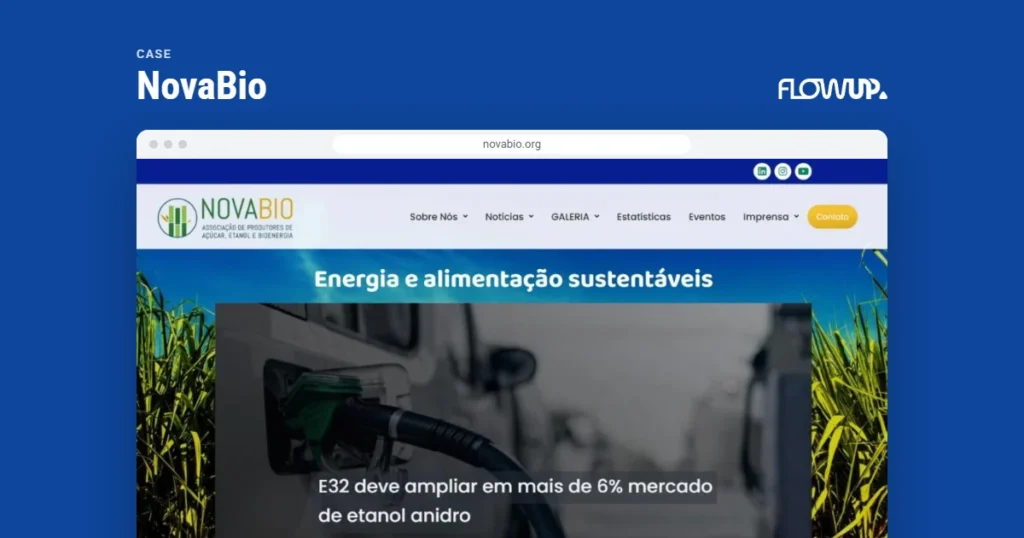
Cover of the NovaBio case study

Industry association, sugar and bioenergy

NovaBio

10official sections organized on the WordPress corporate website, with monthly support and autonomy for the editorial team.NovaBio case study
Read the case study (in Portuguese)

Consulting engineering

HPROJ

10+ yearsof partnership: WordPress, branding, SEO, content and presentations with the same provider.HPROJ case study
Read the case study (in Portuguese)

Industry association, bioenergy

Bioenergia Brasil

83Kimpressions and 3.1K organic clicks in 12 months on the association's WordPress platform.Google Search Console, Bioenergia Brasil case study
Read the case study (in Portuguese)

See all case studies

How to hire

Engagement formats for the WordPress specialist

The right format depends on the stage your site is at. Scope and investment are defined after the diagnosis, in writing.

Engagement formats for Flowup's WordPress specialist
FormatWho it is forHow it works
WordPress Health ScoreAnyone who wants to know the real state of the site before deciding.Assessment across five dimensions, with a report of prioritized risks and an action plan.
WP CareSites that generate leads, sales or customer service and cannot afford to go down.Monthly support with a defined routine, scope and report.
Site handoverCompanies with no technical provider or in the middle of changing providers.Diagnosis, full backup, inventory and controlled transition, followed by WP Care.
WordPress consultingIn-house teams, developers and other agencies.Technical guidance on architecture, security, performance and governance, per project or monthly.
Improvements and fixesSites that need new features or one-off fixes.Requests handled per deliverable, always with staging and documentation.

WordPress consulting

For in-house teams, developers and other agencies that already have someone to do the execution but need a technical second opinion. Flowup's WordPress consulting reviews architecture, plugins, security, performance and the publishing workflow, delivers the recommendations in writing, in order of priority, and follows the implementation when the team asks for it. It works per project or in monthly hours. The details are on the WordPress consulting page.

Next step

What is your WordPress site's Health Score?

Get a diagnosis of the environment across five dimensions, with prioritized risks and the engagement format that fits your context.

Prioritized risksNo promise of total securityPlan in writing

Request the WordPress Health Score

Clients

What clients say about working with Flowup

5.0on Google, since 2011
We have been Flowup's partners for more than 10 years and, over that time, our trust has only grown stronger. The service is excellent and the commitment to our requests is total. The team understands our needs, meets deadlines and delivers consistent quality.
Alexandre H. FerreiraHPROJ Planejamento e Projetos. Translated from Portuguese.
Read the case study
The website now delivers something far more strategic, organized and aligned with what we wanted to convey.
Paula PrimeGoogle review. Translated from Portuguese.
I am glad to record my satisfaction in working with Flowup. A positive experience: an attentive team, quick service, quality deliveries and care in every detail of the website. I was pleased with the final result and recommend their services with confidence.
Gabriela RibeiroRewood. Translated from Portuguese.
Read the case study

See clients and testimonials

Glossary

WordPress maintenance and support terms

The words that show up in every diagnosis and maintenance report, in one line each.

WordPress Engineering
The application of software engineering practices to a WordPress site: version control, staging, testing, controlled deployment, observability and documentation.
WP Care
Flowup's monthly support for WordPress sites: tested updates, verified backups, monitoring, fixes and reports.
WordPress Health Score
Flowup's diagnosis that assesses the performance, security, technical SEO, infrastructure and governance of a WordPress environment.
Hardening
A set of adjustments that reduces the site's attack surface: permissions, versions, authentication and removal of whatever is not in use.
Application firewall
A filter, also called a WAF, that blocks malicious requests before they reach WordPress.
Least privilege
The principle of giving each user and integration only the access its role requires.
Rollback
A planned return to the previous version when a release causes a problem.
Observability
The ability to know what is happening on the site in real time, with logs, metrics and alerts.

Frequently asked questions

Frequently asked questions about WordPress specialists

The questions that come up most often in searches and in conversations with clients.

Is your question about a specific site? Tell us the situation and get an answer that takes your context into account.

Chat on WhatsApp
What does a WordPress specialist do?
A WordPress specialist is technically accountable for a complete WordPress environment: code, theme, plugins, database, infrastructure, integrations, security, performance and ongoing improvement. Unlike someone who carries out isolated tasks, the specialist takes responsibility for the continuity of the site, from diagnosis to governance.
What is WordPress Engineering?
It is the application of software engineering practices to the life cycle of a WordPress site: architecture, version control in Git, staging, testing, controlled deployment, rollback, observability, layered security and documentation.
What is the difference between a WordPress specialist and a WordPress agency?
At Flowup, the WordPress specialist takes care of the site that is already live: maintenance, support, security, fixes and ongoing improvement. The WordPress agency takes care of projects: a new site, a store, a portal, a migration and integrations. Both fronts use the same engineering.
What does Flowup's WordPress maintenance include?
Maintenance is delivered through WP Care: core, theme and plugin updates tested in staging, backups with restore testing, monitoring of uptime, errors and security, fixes within the scope and a periodic report.
What is the WordPress Health Score?
It is the diagnosis that opens every Flowup engagement. It assesses the performance, security, technical SEO, infrastructure and governance of the environment and delivers a report with prioritized risks and an action plan.
Does Flowup take over sites developed by other companies?
Yes, and it is the most common case. The handover follows a structured process: access, full backup, inventory, risk analysis, creation of a staging environment, documentation and a transition plan. No environment is taken over without a diagnosis.
Are updates tested before they are applied?
Yes. Significant updates are applied first in staging, with a backup beforehand, and only then released, with a check afterward. Automatic updates applied straight to the live site are not part of the method.
Does the service guarantee that the site will not be hacked?
No, and no serious provider does. What reduces the risk is the combination of prevention, monitoring, tested backups and an incident response plan. In 2025, 46% of the vulnerabilities in the WordPress ecosystem had no fix when they were disclosed, according to Patchstack.
My WordPress site has been hacked. What should I do?
Do not delete anything and do not restore backups blindly. The first step is to contain the incident, preserve the evidence and identify the point of entry. Flowup has a WordPress malware removal service for this emergency, followed by ongoing support so the problem does not come back.
Does Flowup offer WordPress consulting?
Yes. WordPress consulting serves in-house teams, developers and other agencies with guidance on architecture, security, performance and governance, per project or monthly.
Does the WordPress specialist also take care of site speed?
The specialist handles speed tracking within WP Care. When slowness calls for a project of its own, the WordPress optimization and Core Web Vitals front steps in, with root-cause diagnosis and validation against real-user data. Flowup does not promise a PageSpeed score.
How does Flowup prepare a WordPress site for AI?
With a technical foundation: semantic structure, structured data consistent with the visible content, consistent entities, fast pages and AI crawler access decided together with the company. Google states that no special files or markup are needed. There is no promise of citation.
How much does it cost to hire a WordPress specialist?
It depends on the format: WordPress Health Score, monthly WP Care, site handover, consulting or improvements per deliverable. Scope and investment are defined after the diagnosis, in writing, according to the size and criticality of the environment.
Do the documentation and the access credentials stay with the company?
Yes. The inventory, change log, credentials and documentation belong to the company. Reducing dependence on providers, Flowup included, is part of Asset Governance.
Does Flowup work with companies outside São Paulo and outside Brazil?
Yes. Flowup is based in São Paulo, Brazil, but WordPress maintenance, support, consulting and ongoing operation are delivered remotely. Flowup serves companies in Brazil, the United States, Canada and worldwide.

Transparency

Sources and references

This page uses public security and market data and official documentation from Google and WordPress, checked on September 24, 2026. The figures in the case studies come from the case studies themselves, with the source indicated.

  1. State of WordPress Security in 2026, Patchstack (February 25, 2026): 11,334 vulnerabilities in 2025, 91% in plugins, 46% with no fix at disclosure and a weighted median of 5 hours to the first exploit, with vulnerabilities weighted by how heavily they were attacked.
  2. OWASP Top 10, OWASP Foundation: categories of security risk in web applications, including third-party components.
  3. Usage statistics and market share of WordPress, W3Techs (October 2, 2026): WordPress on 40.2% of all websites and on 58.7% of the websites with an identified CMS.
  4. Web Vitals, web.dev (Google): LCP, INP and CLS thresholds at the 75th percentile of visits.
  5. Requirements, WordPress.org: recommended versions of PHP, database and server.
  6. Optimizing your website for generative AI features on Google Search, Google Search Central (updated July 10, 2026): no AI files, special markup or special schema needed; llms.txt neither helps nor harms in Search; structured data remains useful for rich results.
How to cite this page

Flowup Agency. WordPress specialist: complete engineering from development to governance. Guto Bertoncini, updated on . flowup.agency/en/wordpress-specialist/

Does your WordPress site have a technical owner?

Start with the WordPress Health Score and receive prioritized risks, an action plan and the engagement format that fits your site.

5.0 on Google · Since 2011 · Case studies with stated sources